Role & Team
I led this project as Senior Design Manager, staying deliberately hands-on throughout. I directed a Lead Designer and a Senior Designer—both reporting to me—set the design direction, ran critiques, and personally owned key interaction and system decisions. I also engaged Walmart’s Research team to conduct user and stakeholder interviews across multiple building types, then worked with my designers to translate the findings into the design strategy.
Background
Walmart’s yard network operates at enormous scale. Across the network, thousands of trailers arrive, depart, move through yards, and change status every hour. Each distribution center is known internally as a node.
Some trailers deliver inventory to a building; some leave full of products to replenish stores; others are empty and waiting to be used; and some must leave before a strict cutoff time to fulfill Walmart’s delivery promise to customers.
Yet these operations still relied on a legacy Yard Management System built in the ’90s—desktop-bound, poorly integrated, and so unreliable that paper often became the source of truth. I led the redesign of the system as a cloud-native ecosystem of role-specific apps spanning gate, dock, yard, and manager workflows across handheld, vehicle-mounted, tablet, and desktop devices.
Problems with legacy system
Poor integration with other systems
Access limited to stationary computers
No enforced order of operations
Limited user access controls
Paper used as the source of truth in some buildings
Extensive training required
Low On-Time Yard Exit
Low trailer utilization
Operational breakdowns that affected customers
Research / Discovery
Yard operations vary widely by building type and job function; a single generic tool couldn’t serve every context. I engaged Walmart’s Research team to conduct user and stakeholder interviews across six building types and four associate roles—gate security associates, dock associates, yard jockeys, and building managers—while my designers and I audited the legacy system end to end.
The research revealed three structural problems:
Different job functions required different tools. A yard jockey moving trailers, a gate associate checking trucks in, and a manager monitoring an entire building have little in common when it comes to context, device needs, or urgency. Forcing them into one interface was a root cause of the legacy system’s failure.
Paper had become the real source of truth. When the system was too slow or inaccessible, associates worked around it. That left Walmart without reliable operational data or a dependable way to improve performance.
Critical systems didn’t communicate. Information didn’t flow between gate, yard, dock, and management systems, so the same trailer could be tracked multiple times—or lost entirely.
Process / Approach
We reframed the assignment from “redesign the legacy YMS” to “rethink each job function from the ground up and choose the right device for each task.”
That shift led to the project’s central architectural decision: rather than rebuilding one monolithic application, we designed a suite of cloud-native tools. Each app was matched to a specific role and device while sharing the same real-time trailer data.
I led the team through wireframing, prioritization, and iteration. Each operational context demanded a different device and interaction model:
The Yard Moves app ran on a vehicle-mounted computer, allowing jockeys to update trailer locations without leaving the cab.
The Gate and Dock apps ran on rugged handheld devices optimized for fast, one-handed data entry and voice input in the field.
Manager tools ran on tablets and desktop computers, allowing managers to monitor node setups and edit moves from anywhere in the building.
Manager
Create and adjust node settings while monitoring the full trailer lifecycle.
Gate
Check trailers in and out in real time from a rugged handheld.
Dock
Unload goods and load shipments while keeping trailer status current.
Yard
Track asset locations and move trailers between the yard and dock.
The resulting ecosystem connected each stage of a trailer’s journey through the yard
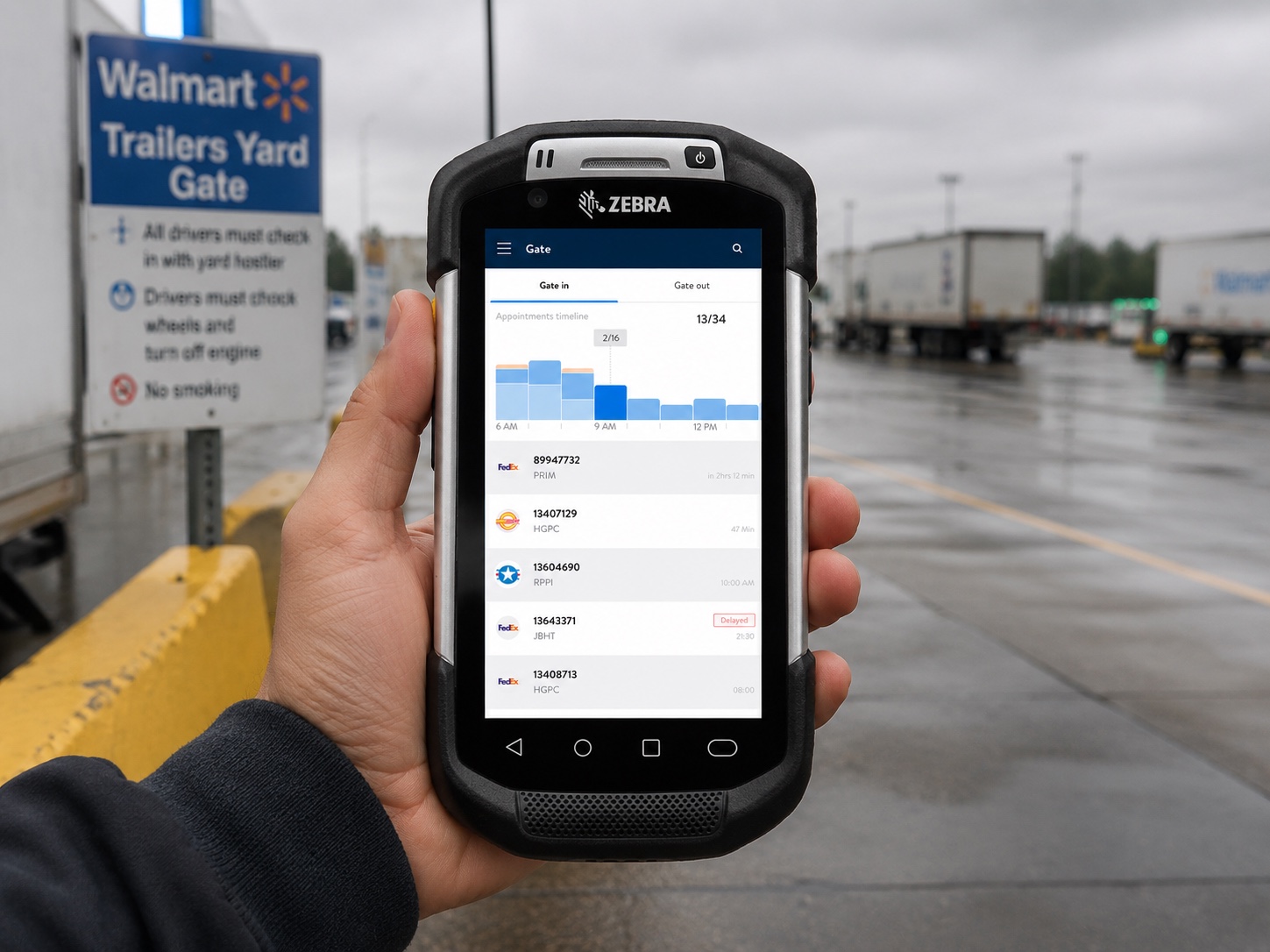
Gate App
Before: Security Gate Associates inspected trailers, recorded their findings on paper, and later entered the same information into the system.
Now: A handheld app allows associates to enter information in real time while walking around the trailer, including photographic evidence. Once the inspection is complete, the system automatically assigns a drop-off location.
Yard Moves App
Before: Every trailer move required a walkie-talkie call and manager confirmation before its new location could be recorded.
Now: A vehicle-mounted computer allows jockeys to move trailers and update asset locations in real time, with every change synchronized across the connected systems.
Yard Audit App
Before: Managers audited the yard with a notepad, then returned to the office to enter the changes into the system.
Now: Continuous location tracking across the connected systems leaves far less information to reconcile. Associates can use the app to verify trailer locations and conduct inspections in real time while walking the yard.
Dock App
Before: Dock associates relied on printouts and radio calls to determine which trailer belonged at each door. Door and trailer statuses lived in separate systems, so a trailer could sit ready at a door without anyone knowing it was time to move it.
Now: A handheld app guides associates through opening, loading, and closing trailers while updating each trailer’s status in real time. As soon as a trailer is closed, the system flags it for exit.
Manager Apps
Tablet and desktop applications gave managers oversight of the entire operation. From anywhere in the building, they could monitor and edit node setups, create or modify moves, and update trailer information.
Other impacted KPIs
KPI | Before | After | Headline number |
|---|---|---|---|
Dwell time (time trailers sit on the same status) | ~5.4 hrs avg | ~3.7 hrs avg | ↓ 31% average dwell time |
Emissions reductions (pre-cooling reefers on demand) | continuous idle | on-demand cycling | ↓ ~24% reefer idle fuel burn / ~1.9k t CO₂e/yr |
System Training | ~40 hrs | ~8 hrs |
Reflection / Learnings
The most important design decision wasn’t improving the interface—it was rejecting the assumption that every job function belonged in a single application. Designing around distinct roles, devices, and operational contexts allowed the individual tools to work as one connected system.
Staying hands-on while leading the team also allowed me to shape that architectural decision through the work rather than from the sidelines. If I approached the project again, I’d explore how automation could reduce repetitive tasks and data-entry steps, making operations more efficient while improving the reliability of the underlying information.